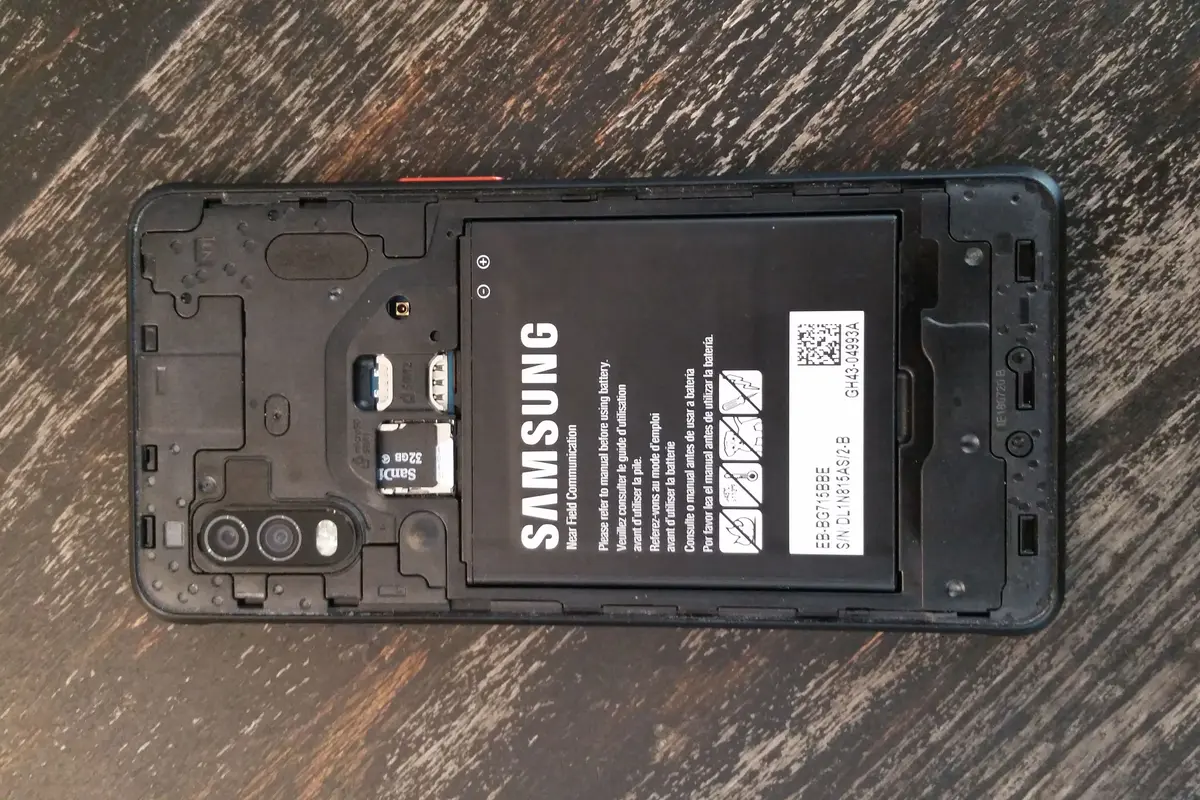
Removable does not automatically mean hot-swappable
If your Android device must keep working through a battery change, look for an explicit hot-swap feature. A removable pack establishes that you can replace the battery; it does not, by itself, establish uninterrupted operation.
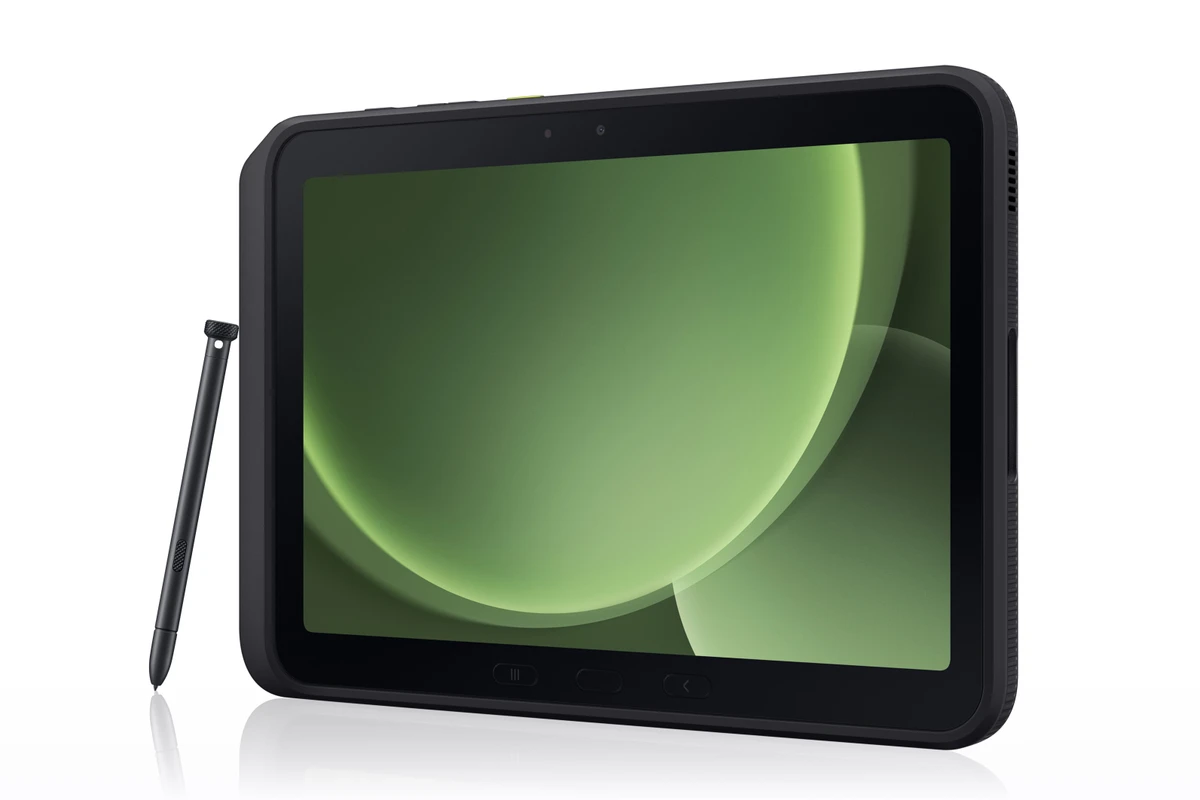
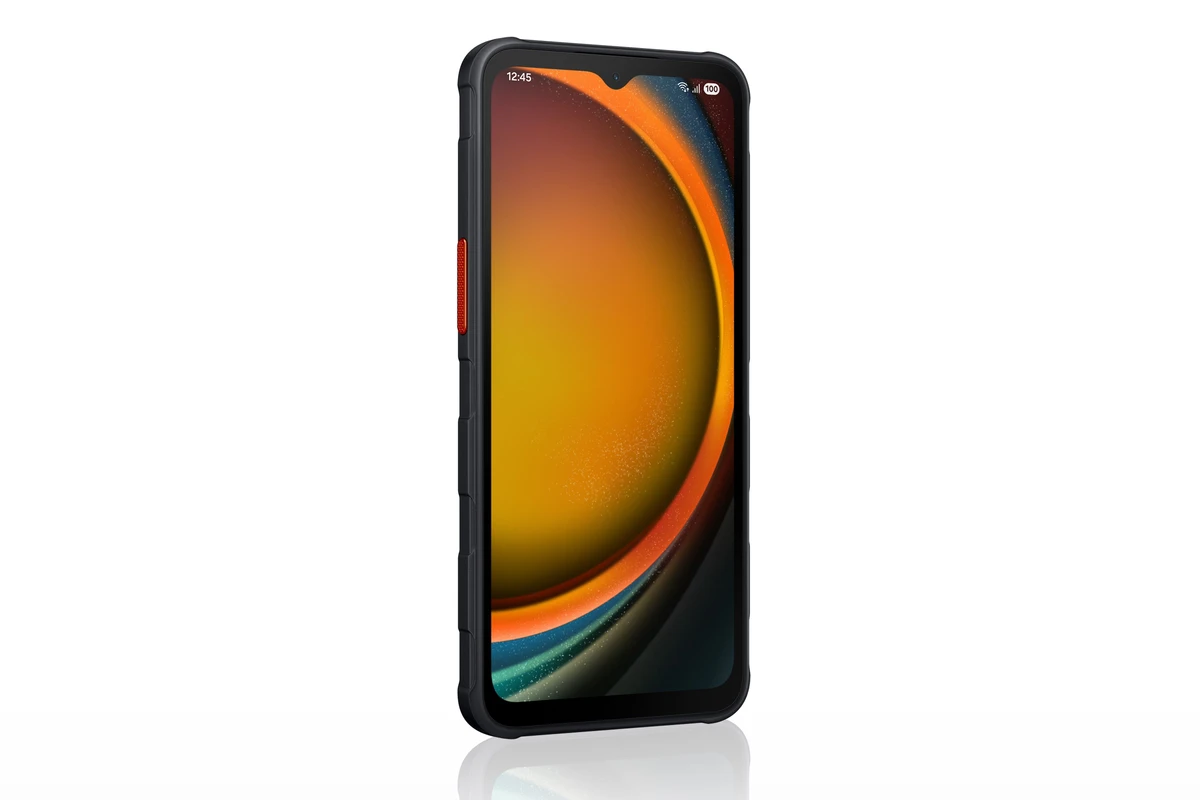
Samsung illustrates the distinction with the Galaxy XCover7 Pro and Galaxy Tab Active5 Pro. Both have user-replaceable batteries. Samsung specifically documents Dual Hot-Swap and No Battery Mode for the tablet (official power features). Those are three separate buying criteria. There is also an unresolved hot-swap discrepancy: the manufacturer claim and an independent review do not agree.
This guide is for US buyers equipping field work or a fixed Android installation. It considers these two Samsung models because their official documentation makes the power modes explicit. It is not a ranking of every repairable phone or rugged tablet, and it does not select devices by advertised battery capacity alone. Readers who only need to finish an ordinary day between charges may have no reason to buy either.
Match the power feature to the interruption you face
| Your actual problem | Feature to verify | What these two devices establish |
|---|---|---|
| A depleted pack needs replacement during a shift | User-replaceable battery and compatible spare supply | Both devices support battery replacement. |
| An active task must continue during replacement | An explicit hot-swap mode and its operating procedure | The tablet documents Dual Hot-Swap. Do not transfer that claim to the phone. |
| A kiosk or mounted screen stays plugged in | Operation without an installed battery and a suitable power source | The tablet documents No Battery Mode, with restrictions. |
The distinction comes from Samsung’s launch documentation, rather than an assumption about what a removable back cover permits. Before deployment, check the manual for your exact regional model and follow its battery-change procedure. This buying guide does not replace that procedure.
Check the conflicting hot-swap evidence
In its June 27, 2025 review, Notebookcheck reported that removing either battery shut its tablet down, even while the other pack had charge. Samsung’s checked product and launch pages still advertise Dual Hot-Swap. The checked sources do not explain whether hardware, firmware, procedure, or another factor accounts for the difference.
Treat uninterrupted battery replacement as something to confirm with Samsung for the exact model and validate on a unit before committing to a fleet. This discrepancy does not erase the documented removable batteries or No Battery Mode, but it matters when a restart would interrupt the job.
Count the spare-pack workflow, not just capacity
The phone has a 4,350 mAh typical battery and supports 15 W charging. Samsung also lists POGO charging and separately purchased replacement packs (XCover7 Pro specifications). The practical question is where a depleted pack goes while its replacement is in the phone.
A spare battery only solves the interruption if a charged, compatible pack is available when needed. Decide who recharges the removed packs, how many devices share the charging equipment, and whether compatible replacements can be sourced in your market. Samsung specifies certified replacement batteries; a similar capacity or connector is not proof of compatibility.
For the tablet, the quoted 10,100 mAh is combined typical capacity. Its dual-pack workflow is a reason to investigate it for long shifts, not evidence that it lasts a particular number of work hours. Screen brightness, radios, software, and the job itself still determine runtime (tablet power and specification notes).
No Battery Mode needs more than a USB cable
Samsung says to enable the tablet’s mode and use a dedicated USB-C source supporting at least 9 V / 2.3 A and USB PD 2.0. The same guidance says the mode limits CPU/GPU performance, maximum volume, and display brightness (requirements and restrictions). A cable connected to an unspecified port does not establish that the installation meets those requirements.
That creates a concrete acceptance check: run the intended application with the intended power accessory, mount, display settings, and network before purchasing a fleet. Confirm that its work remains usable under the mode’s limits. If the task also needs a desktop workspace, use our Samsung DeX buying checklist to evaluate the app and display separately from the power system.
Price the installed system in the correct market
At this check, Samsung’s US business store lists the unlocked 6 GB / 128 GB phone at $599.99 (phone offer) and the tablet range starting at $659 (tablet offer). These are checked store prices, not launch prices, and the tablet starting price does not establish a 5G price.
Compare totals that include the required packs, charging equipment, mount, network plan, and any paid management services. For the phone, check the unlocked or carrier model. For the tablet, choose Wi-Fi or the appropriate cellular model before comparing storage. Use the linked device pages for the verified configurations; a cheaper offer for a different regional model is a different purchase.
Choose the phone when the job belongs in a pocket and battery replacement addresses the interruption you actually face. Investigate the tablet when documented dual hot swapping or powered operation without a battery is essential. Neither feature makes a bulky work device the obvious choice for someone who simply wants a lighter everyday screen.
Sources
- news.samsung.com · checked Samsung Global Newsroom: replaceable packs, Dual Hot-Swap and No Battery Mode requirements
- samsung.com · checked Samsung UK: XCover7 Pro power, dimensions and software support
- samsung.com · checked Samsung UK: Tab Active5 Pro configurations and powered-operation restrictions
- samsung.com · checked Samsung US business store: XCover7 Pro current price and carrier models
- samsung.com · checked Samsung US business store: Tab Active5 Pro starting price
- news.samsung.com · checked Samsung Global Media Library: original rugged-device release assets and publishing permission
- notebookcheck.net · checked Notebookcheck: independent June 2025 report of failed hot swapping
- commons.wikimedia.org · checked Wikimedia Commons: CarterTFTW removable-battery photograph and CC BY-SA 4.0 license